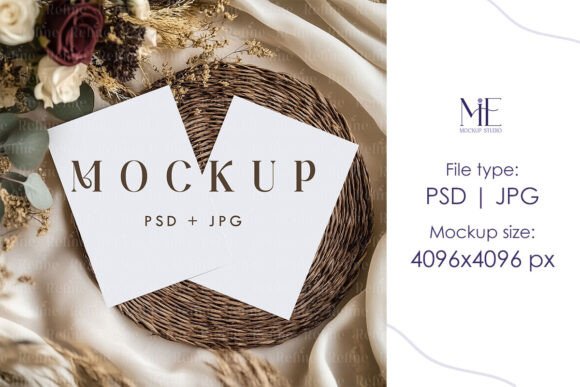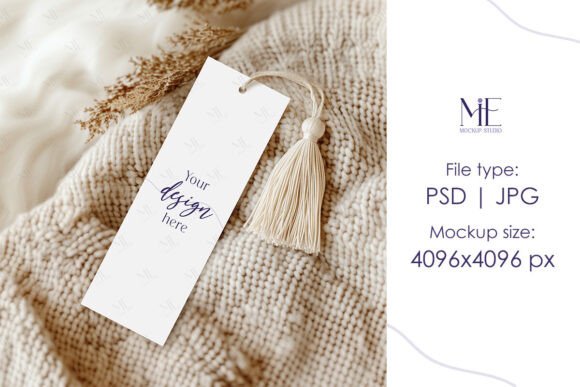
Bookmark Mockup 2x6 Baptism Bookmark
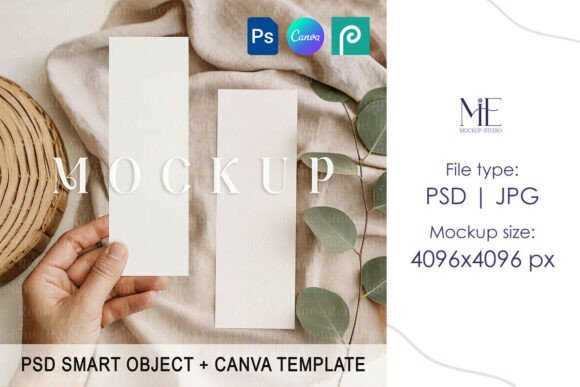
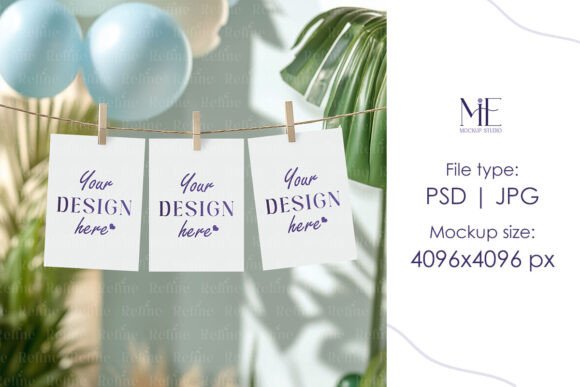
The Bookmark Mockup 2x6 Baptism Bookmark is a digital design template that allows you to showcase your custom bookmark in a realistic and professional setting. Perfect for those who want to present their baptism-themed designs with clarity and style, this mockup comes as a high-quality PSD file with Smart Object layers. It’s ideal for graphic designers, event planners, bloggers, or anyone looking to create visually appealing content without the hassle of complicated setups.
What Makes This Mockup Special?
This particular mockup is tailored for 2x6 inch bookmarks, which are commonly used for baptism cards, thank-you notes, or small keepsakes. The size is compact yet readable, making it suitable for both personal use and commercial projects. The mockup includes a clean background and natural lighting to highlight your design, while the absence of watermarks or text ensures a polished final image ready for print or digital sharing.
Key Features You’ll Receive
- 1 Fully Editable PSD File: With Smart Object layers, inserting your design is simple and intuitive—just double-click and go.
- 1 High-Resolution JPG File (4096x4096 pixels): Ideal for online presentations, marketing materials, or social media posts where quality matters.
- Instant Digital Download: No waiting for shipping; access your files immediately after purchase.
Why Different Audiences Care About This Mockup
Depending on your role or interest, the Bookmark Mockup 2x6 Baptism Bookmark might serve different purposes. Here's how various users can benefit from it:
For Creators and Designers
Graphic designers and creatives will appreciate the flexibility and realism this mockup provides. Whether you're working on a baptism invitation suite or designing a set of themed stationery, the ability to visualize your work in a lifelike context is invaluable. For example, if you’re designing a minimalist baptism card, the neutral backdrop of the mockup lets the colors and typography of your design take center stage.
For Entrepreneurs and Small Business Owners
If you run a boutique specializing in religious or personalized stationery, this mockup helps you display your products professionally on your website or social media. A potential customer scrolling through Instagram or Etsy wants to see what the item will look like before purchasing. Using the mockup, you can show your baptism bookmarks in action, helping buyers make confident decisions.
For Educators and Church Leaders
Educators or church staff may need baptism-related materials for classes, events, or outreach. This mockup can be used to create visual aids or sample booklets for parents considering a baptism. For instance, you could insert a sample baptism certificate into the mockup to demonstrate how it would appear when printed, offering a tangible preview of the final product.
For Bloggers and Content Marketers
Bloggers covering topics like baby showers, baptism traditions, or DIY crafts can use this mockup to feature their own tutorial designs or partner products. Imagine writing a post titled “DIY Baptism Bookmarks: A Heartfelt Keepsake” and using the mockup to show off your finished creation. The high-resolution JPG makes it easy to embed in articles or promotional emails without worrying about image quality.
For Hobbyists and Consumers
Parents planning a baptism often want a unique way to share the occasion with family and friends. This mockup offers an accessible way to customize and preview their own baptism bookmarks at home. Even if they have no prior experience with Photoshop, the Smart Object functionality simplifies the process. Just add their photo or message, and voilà—a beautiful, printable keepsake.
Practical Uses Across Industries
Let’s explore some real-world scenarios where the Bookmark Mockup 2x6 Baptism Bookmark adds value:
Event Planning
Event planners often curate bespoke items for ceremonies. By using this mockup, they can present clients with a clear vision of how the baptism bookmark will look once printed. For example, including it in a proposal presentation alongside other items like certificates and prayer cards can help secure approval faster.
Freelance Work and Client Proposals
Freelancers who offer design services might include this mockup in their portfolio or client proposals. It gives a sense of professionalism and attention to detail, showing that they understand how their designs will translate into physical products. This can be especially persuasive when pitching to churches or families looking for memorable baptism elements.
Printing Services
Print shops or online retailers selling baptism-themed products can use the mockup to enhance their listings. Instead of just uploading a flat design, they can show customers how the bookmark will appear when placed on a page. This builds trust and increases the likelihood of sales by reducing uncertainty about the final appearance.
Wedding or Family Blogs
Blogs focused on family milestones, like baptisms, can use the mockup to illustrate DIY ideas or product reviews. For instance, a blog post titled “5 Ways to Customize Your Baby’s Baptism Bookmark” can pair each idea with a mockup image, giving readers a clear visual guide.
How to Use the Mockup Effectively
- Download Instantly: After checkout, you'll receive a ZIP file containing the PSD and JPG files. Extract them to your preferred location.
- Open in Photoshop: Launch Adobe Photoshop and open the PSD file. Look for the Smart Object layer—this is where you’ll insert your design.
- Edit and Save: Double-click the Smart Object to edit it. Add your artwork, text, or photos, then save the changes when prompted.
- Review the Result: Photoshop automatically updates the mockup with your new design. Take a moment to review the placement and overall look.
- Export and Share: Once satisfied, save the final image as a JPG or PNG. Use it on your site, in proposals, or for print-ready displays.
Choosing the Right Mockup for Your Needs
Not every project needs a complex mockup. However, for those aiming to present their 2x6 inch baptism bookmark in a professional light, this one is a solid choice. Here are a few questions to ask yourself:
- Do I need to show my design in a realistic context for clients or customers?
- Am I looking for something easy to edit, even if I’m not a Photoshop expert?
- Is the 2x6 inch size standard for the type of project I'm working on?
- Will the final image be used digitally or for print?
If you answered yes to most of these, then the Bookmark Mockup 2x6 Baptism Bookmark is likely a good fit. If simplicity and speed are more important than realism, you might consider a simpler version or a stock image instead.
Priorities That Matter Most to You
Each user has unique priorities when selecting a mockup. Let’s break down a few key considerations and how this mockup meets them:
Quality and Realism
Professionals and businesses prioritize high resolution and realistic visuals. The 4096x4096 JPG and layered PSD ensure your design looks sharp and authentic in any presentation.
Speed and Ease of Use
Hobbyists and beginners may care more about how quickly they can get started. With Smart Objects, you don’t need advanced Photoshop skills—just replace the placeholder image and save.
Cost and Value
For entrepreneurs or educators on a budget, the cost-effectiveness of this mockup stands out. It’s a one-time purchase that supports multiple uses, from classroom materials to business promotions.
Flexibility and Customization
Designers love having templates that adapt to various themes. The neutral design of this mockup works well with almost any color scheme or font style, allowing maximum creative freedom.
Commercial and Long-Term Use
If you plan to use this mockup for ongoing projects or sell products based on it, knowing that there are no restrictions on usage is reassuring. It’s also future-proof—if you ever want to redesign your baptism bookmarks, the mockup remains a reliable tool.
Realistic Examples for Common Projects
Here’s how different creators might apply this mockup in their work:
Example 1: Personalized Gift Shop Owner
A small gift shop owner creates baptism bookmarks with names and dates. They use the mockup to show customers how the final product will look in a booklet, increasing confidence in the customization process.
Example 2: Freelance Graphic Designer
A designer working on a client’s baptism package includes this mockup in their proposal. It demonstrates their understanding of the client’s vision and shows how all the components will come together seamlessly.
Example 3: Family Creating a Baptism Memory Book
A parent uses the mockup to preview their handmade baptism bookmarks for inclusion in a memory book. It helps them adjust the layout and choose the right fonts and images before printing.
Example 4: Church Coordinator Preparing Materials
A church coordinator prepares baptismal gifts for families. They use the mockup to showcase the bookmarks during meetings with parents, ensuring everyone agrees on the design before production.
Final Thoughts
The Bookmark Mockup 2x6 Baptism Bookmark is more than just a design tool—it’s a bridge between creativity and presentation. Whether you’re a seasoned designer or someone trying their hand at a baptism project for the first time, this mockup empowers you to bring your vision to life with minimal effort and maximum impact. Its versatility across industries and roles makes it a valuable asset for anyone invested in creating thoughtful, high-quality baptism-related content.